How to see deleted messages on WhatsApp (Guide)
On Android, you may be able to see the original text in Notification History if that feature was already enabled and the message appeared as a notification before it was deleted.
On iPhone, there isn’t an equivalent built-in notification-history feature for recovering deleted WhatsApp messages. A backup may help only in some situations, but restoring it can replace newer chats.
Avoid third-party “see deleted WhatsApp messages” apps; they generally work by reading your notifications and can create significant privacy/security risks.
How to See Deleted WhatsApp Messages on Android
Method 1: Use Notification History
This works on many Android phones, but Notification History must have been enabled before the message was deleted.
- Open your phone’s Settings.
- Go to Notifications.
- Tap Notification history.
- Turn on Use notification history if it is available.
- Open WhatsApp and wait for a new message to arrive.
- If the sender later deletes that message, return to Settings → Notifications → Notification history.
- Look under the WhatsApp notifications to see whether the original message text was recorded.
Important: This usually works only for text that appeared in a notification. Photos, videos, voice messages, and messages received while notifications were disabled may not be recoverable.
Method 2: Restore a WhatsApp Backup
If the message existed in a backup made before it was deleted, you may be able to recover it by restoring that backup.
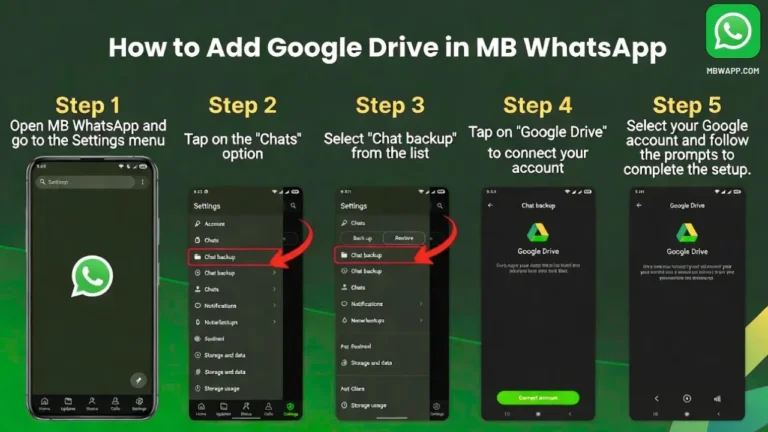
- Open WhatsApp and check Settings → Chats → Chat backup.
- Check the date of your latest backup.
- If the backup was created before the message was deleted, uninstall WhatsApp.
- Reinstall WhatsApp.
- Verify the same phone number.
- When WhatsApp finds your backup, choose Restore.
- Wait for your chats to be restored.
For iOS Devices
On iPhone, you generally cannot see a WhatsApp message after the sender deletes it.There is no built-in iOS Notification History that lets you open the deleted WhatsApp notification later, unlike the notification-history feature available on some Android phones.
My opinion
In my opinion, if your main goal is to have more control over deleted messages and privacy settings, you may come across modified WhatsApp apps such as MB WhatsApp. These apps are designed to add features that are not available in the official WhatsApp app.
What MB WhatsApp Offers
Depending on the version, MB WhatsApp may include features such as:
- Anti-Delete Messages: Some versions claim to keep messages visible even after the sender deletes them.
- Anti-Delete Status: Lets you continue viewing a status that the sender has removed, depending on the version.
- Privacy Controls: Additional options for hiding your online status, blue ticks, typing indicators, and other activity.
- Chat Customization: More themes, fonts, colors, and interface customization than the official app.
- Media Sharing: Some versions offer larger file-sharing limits or additional media options.
- Extra Chat Controls: Features such as chat locks, message scheduling, auto-reply, or other tools may be included depending on the release.
But There Are Limitations
There are some important things to consider before using MB WhatsApp.
1. It is not the official WhatsApp app
MB WhatsApp is a modified third-party version and is not developed or officially supported by WhatsApp/Meta.
2. Features can vary by version
Not every MB WhatsApp release has the same features. An option advertised online may be removed, changed, or stop working after an update.
3. Deleted messages are not guaranteed to be recovered
An anti-delete feature generally works by preventing the app from removing content that has already been received. It cannot magically recover a message that your device never received.
4. Privacy and security are important
Because modified WhatsApp apps are unofficial, you should be careful about where you download them.
5. Account restrictions are possible
Using unofficial WhatsApp clients can carry risks that you don’t have with the official application, including compatibility problems or possible account restrictions.
My Final Opinion
If you only want to see deleted WhatsApp messages, I would not recommend switching from the official WhatsApp app solely for this one feature. MBWhatsApp may provide additional privacy and customization options, but it also comes with the limitations of using an unofficial modified application.
If you decide to try it, understand the risks first, avoid sharing sensitive information unnecessarily, and keep a backup of important conversations.